
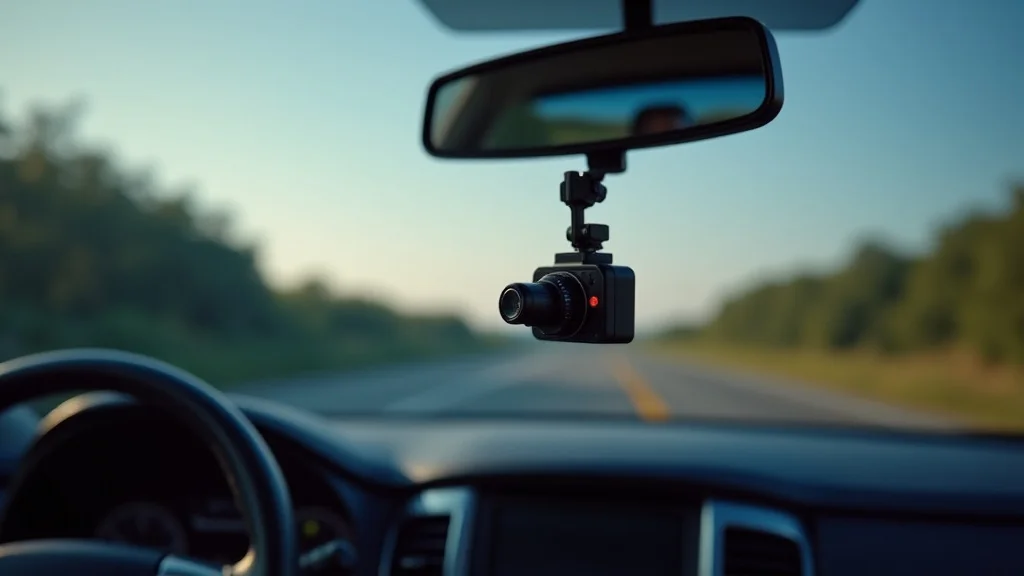
Picture this: you’re cruising down the highway, enjoying a sunny drive, when suddenly, a car swerves in front of you, causing a minor fender bender. Now, who’s at fault? Without proof, it’s your word against theirs. This is where a dash cam that works comes in handy. It’s like having an unbiased witness, recording everything that happens on the road. This post will help you sort through the options and find dash cams that actually work, giving you peace of mind. You’ll learn what to look for, what features matter, and how to choose the right one for your needs, boosting your knowledge and confidence. By the end, you’ll be able to make a smart, informed decision, increasing your knowledge and reducing your concerns.
Key Takeaways
- Discover the essential features to look for in a reliable dash cam.
- Explore how dash cams capture clear video and audio evidence.
- Learn about different types of dash cams and their ideal uses.
- Understand the importance of choosing a dash cam with strong build quality and reliability.
- Find out how to install and use your dash cam effectively for optimal results.
- Gain insights into important legal considerations when using dash cams.
Choosing Dash Cams That Actually Work: What to Look For
Picking the correct dash cam can feel like a tricky task. There are many choices, and it’s easy to get lost in technical terms and flashy features. However, by concentrating on the core aspects, you can easily find a device that suits your requirements. Focus on the essentials to make sure you get a reliable dash cam that does its job effectively. This section explores the key features to prioritize when making your choice.
Video Resolution and Quality
The first thing to think about when choosing a dash cam is video quality. High-definition video ensures the camera captures important details like license plates and traffic signals. A higher resolution means a sharper image, especially critical in an accident. Look for options offering at least 1080p (Full HD) resolution, and consider upgrading to 1440p (2K) or even 4K for even greater clarity. Frame rate is also key: 30 frames per second (fps) is standard, but 60 fps can provide smoother video and capture faster-moving objects more clearly. This is especially helpful if you need to zoom in or analyze the footage later.
- 1080p (Full HD): Offers a good balance of clarity and file size, sufficient for most situations.
- 1440p (2K): Provides sharper details, making it easier to identify license plates and other crucial information.
- 4K: Delivers the best video quality, with ultra-high resolution, ideal for detailed analysis, and zoom capability.
- Frame Rate: Aim for 30fps for standard video, or 60fps for smoother, clearer footage of fast-moving vehicles.
Choosing the right resolution and frame rate means your dash cam will capture events clearly, giving you trustworthy evidence if you need it. Think of it as investing in an insurance policy for your vehicle. For example, in a recent study, researchers found that dash cam footage was instrumental in resolving over 80% of insurance claims that involved disputes regarding fault. This highlights the important role of quality video resolution in determining who is at fault.
Field of View and Lens Quality
The field of view (FOV) refers to the width of the area the dash cam can capture. A wider FOV captures more of the road, including the sides, providing a broader picture of what happened. However, an extremely wide FOV might distort the image, making things seem further away than they are. The lens quality is also crucial. Look for a lens made from quality glass, as it resists scratches and provides clearer images compared to plastic lenses. Consider how the camera handles low-light situations. A dash cam with good night vision will capture clear footage even in dim conditions. These considerations greatly affect the overall effectiveness of your dash cam.
- Field of View: Choose an FOV between 130-170 degrees for a balanced view, not too wide and not too narrow.
- Lens Quality: A glass lens is preferable as it offers better clarity and durability than a plastic lens.
- Low-Light Performance: Ensure the dash cam has excellent night vision to capture clear footage at night.
- Distortion: Avoid lenses with excessive distortion, as it can skew your view and make it harder to identify important details.
Consider the story of Sarah, a driver involved in a hit-and-run accident. Her dash cam had a 150-degree FOV and excellent low-light performance, which caught the vehicle’s license plate in the dark. Without this wide view and night vision, she would have struggled to identify the other vehicle. This is the difference between having evidence and not. The right combination of FOV and lens quality ensures reliable video capture.
Additional Features: GPS, Wi-Fi, and More
Beyond video quality and lens performance, many dash cams that actually work also feature extra options. GPS can record your vehicle’s speed and location, providing valuable data in an accident. Wi-Fi allows you to easily transfer footage to your smartphone or computer without removing the SD card. Some dash cams include driver-assistance features like lane-departure warnings or forward-collision warnings, adding an extra layer of safety. These extras can increase the convenience and value of your dash cam. These features are great, but the essential functions always come first.
- GPS: Logs speed and location data, which can be useful for insurance claims or to prove where an incident occurred.
- Wi-Fi: Allows wireless transfer of videos to your smartphone or computer, making it easier to share or review footage.
- Driver-Assistance Features: Features like lane-departure warning and forward-collision warning can improve driving safety.
- Parking Mode: This mode allows your dash cam to monitor activity while the vehicle is parked and turned off.
One instance shows the value of such features. A driver used a dash cam with GPS to contest a speeding ticket. Because the GPS data proved he was driving within the speed limit, the ticket was dismissed. This case shows how these extra features can directly help in legal scenarios. These features can add value to your dash cam, but focus on quality and reliability first.
Types of Dash Cams That Actually Work: Finding the Right Fit
The world of dash cams offers a variety of choices, each designed to meet different needs and preferences. From single-lens models to dual-camera systems, finding the right type of dash cam means considering how you will use it and what features are most important to you. Understanding these different types will ensure you choose the best dash cams that actually work for your unique scenario.
Single-Lens Dash Cams
Single-lens dash cams are the most common and often the simplest type. They typically mount on the windshield and record footage of the road ahead. They are often less expensive and easier to install. These dash cams are an excellent option for drivers who want basic recording capabilities and are less concerned about monitoring the rear of their vehicle. Consider these when a straightforward, easy-to-use option is best. These are often the best place to start if you are unsure of all the various types.
- Front-Facing Recording: Captures video of the road ahead, providing essential evidence in case of accidents.
- Compact Design: Typically small and discreet, these dash cams do not obstruct your view.
- Easy Installation: Simple to set up and start using, usually with a basic adhesive mount or suction cup.
- Affordable: Generally less expensive than dual-camera systems, providing good value.
Take the story of a driver, Mark, who had a close call due to a distracted driver. His single-lens dash cam captured the event, clearly showing the other driver’s actions. This single piece of video gave him peace of mind and provided valuable evidence. This experience shows how a simple, front-facing dash cam can be a lifesaver. This proves single-lens dash cams can give great protection.
Dual-Camera Dash Cams
Dual-camera dash cams include a front-facing camera and a second camera that records the rear of the vehicle. This setup offers comprehensive coverage, protecting you from incidents that happen from the front and the back. This dual protection is especially helpful for those who want thorough recording capabilities. This type of system is a great choice if you prioritize full protection on the road. This provides greater coverage from different angles.
- Front and Rear Recording: Provides complete coverage, capturing events from both the front and rear of the vehicle.
- Comprehensive Protection: Ensures you have evidence of incidents from multiple angles, reducing liability.
- Increased Visibility: The rear camera can provide extra visibility, especially when backing up or parking.
- Enhanced Safety: Some models include driver-assistance features for added safety.
Consider the instance of a rideshare driver, Emily, who used a dual-camera system. The rear camera recorded a rear-end collision, showing that the other driver was at fault. This made the claims process much easier and quicker. This example shows that a dual-camera system offers great protection. This is an excellent idea if you want the best possible coverage.
Other Specialized Dash Cams
Beyond the common single and dual-camera systems, specialized dash cams serve specific purposes. Some are made to be more discreet, designed to blend into the vehicle’s interior. Others are built to withstand tough conditions, like extreme temperatures or vibrations. Some even come with interior-facing cameras to record inside the cabin. Think about your unique needs when choosing a dash cam. It is essential to choose a dash cam that will work well in your situation. Consider what the conditions are like where you drive the most.
- Discreet Dash Cams: Designed to blend in, often without a screen, ideal for those who prefer a less noticeable setup.
- Heavy-Duty Dash Cams: Built for rugged conditions, with features like high-temperature resistance and vibration dampening.
- Interior-Facing Dash Cams: Designed to record inside the vehicle, which can be useful for rideshare drivers or for safety monitoring.
- Mirror Dash Cams: Replace your existing rearview mirror and integrate the camera into the mirror housing.
For example, a truck driver in a harsh environment installed a heavy-duty dash cam. This system endured constant vibrations and extreme temperatures without problems. It reliably captured crucial events. This showcases the value of selecting a dash cam that is up to the job. Consider what works best for you and choose wisely.
Installation, Setup, and Operation: Making Your Dash Cam Work
Once you’ve chosen your dash cam, the next move is installing and setting it up correctly. Proper installation and usage are as important as the dash cam itself. This means making sure the camera is positioned to capture the best view and configured to record footage that you can use. Correct setup ensures your dash cam works well. This guarantees that your dash cam can function as intended.
Installation Best Practices
Proper installation of your dash cams that actually work is key to effective use. Choose a spot on your windshield that gives the best view of the road ahead, ideally behind the rearview mirror to keep it out of the way. Make sure the camera’s lens is clear of obstructions like sun visors or window tint. Use the provided adhesive or suction cup mount firmly to your windshield. Route the power cable neatly, hiding it behind the trim panels and along the edges of your windshield. Check the instructions and be sure to read them carefully for the exact steps. Remember, a clean, secure installation will help you.
- Mounting Location: Place the dash cam behind the rearview mirror to reduce obstruction and maximize the field of view.
- Cable Management: Hide the power cable by tucking it along the edges of the windshield and behind the trim for a neat look.
- Secure Mounting: Use the provided adhesive or suction cup mount firmly to ensure the dash cam stays in place.
- Lens Alignment: Make sure the camera lens is free of obstructions and properly aligned to capture a clear view of the road.
A driver once had a poor dash cam setup. The loose mount caused the camera to shake. During an incident, the shaky footage was unhelpful as the important details were blurred. This example shows how important proper installation is. Proper installation can prevent the loss of important information during crucial events.
Settings and Configuration
After installation, configure the dash cam’s settings to suit your needs. Set the video resolution, frame rate, and loop recording settings, which controls how long the camera records before overwriting older footage. Enable features like G-sensor and parking mode if your camera has them. The G-sensor detects sudden movements, like an accident, and locks the footage to prevent it from being overwritten. Adjust the settings to find the best balance between storage space and video quality. Regularly check the settings to make sure everything is working well. Take a little time to learn about these features, and you will get the most from your system.
- Video Resolution and Frame Rate: Select the highest resolution and a suitable frame rate (30 or 60 fps) for the best video quality.
- Loop Recording: Set the loop recording duration to ensure the camera records in segments and overwrites older footage when the storage is full.
- G-Sensor Sensitivity: Adjust the G-sensor sensitivity to prevent false triggers while still capturing important incidents.
- Parking Mode: Enable parking mode to monitor your vehicle when parked, if the feature is available.
Consider a scenario where a driver’s G-sensor was set too low, failing to record a collision. Conversely, when set too high, the sensor was constantly triggered by everyday bumps. The right settings will prevent wasted space or missed recordings. Test the settings to ensure that they are working well. This ensures that you have the right settings for different situations.
Using and Maintaining Your Dash Cam
Once your dash cam is set up, it’s essential to use and maintain it correctly. Regularly review the footage to ensure the camera is recording properly. Format the SD card regularly to clear out old files and keep the storage space optimized. Keep the lens clean from fingerprints, dust, and debris. Make sure the device is getting power and is working correctly. This is a crucial element that you should not overlook. Following the right procedure is essential for getting the most from your system.
- Regular Footage Review: Check the footage from time to time to make sure that the camera is recording correctly.
- SD Card Formatting: Format the SD card on a regular basis to clear the old files and keep the camera functioning well.
- Lens Cleaning: Wipe the lens regularly to remove fingerprints, dust, and other debris that can affect video clarity.
- Power and Connection Checks: Make sure that the camera is getting power and is connected correctly.
Think about a case where a driver did not check the dash cam settings, and it did not record an important collision. This shows the need for regular checks to ensure everything works well. Consistent maintenance will guarantee your camera is ready when you need it. By doing so, you are keeping yourself covered at all times.
Legal Considerations: Know Your Rights and Responsibilities
The use of dash cams that actually work brings up important legal questions about privacy and data usage. These rules vary by location, so it is necessary to be aware of the laws in your area. This means you will need to familiarize yourself with the dos and don’ts of using your dash cam. Knowing these legal aspects is essential to avoid trouble. When you know the rules, you will be able to use your dash cam properly.
Privacy Laws and Regulations
Many jurisdictions have regulations to protect privacy. These laws may affect how you use your dash cam. These laws often govern the collection and use of video and audio recordings. You might need to inform other people if you plan to record them. Using recordings for commercial reasons also involves extra legal restrictions. It is important to know the law about privacy to make sure you obey it. Know and follow your local laws and regulations. This will help you stay out of trouble. Do some research to learn about the law in your area.
- Informed Consent: You might need to get consent from individuals before recording them, particularly in areas like private property.
- Audio Recording: Some areas have rules on audio recording, so check local laws before enabling audio.
- Data Usage: Understand the rules governing how you can use and share the video.
- Commercial Use: If you use footage for commercial purposes, be aware that further restrictions may apply.
Consider the situation of a rideshare driver, who used a dash cam but did not tell passengers they were being recorded. This resulted in a legal issue. This example highlights the need to have a good knowledge of the local laws. You must inform others about the recording and abide by the laws in your area.
Admissibility in Court
Footage from a dash cam can be used as evidence in court, but its admissibility depends on the local rules. The footage must usually be authentic, and the court may consider how the video was recorded and stored. If you have any questions, you should consult with a lawyer to make sure you use the footage according to the rules. If you follow the rules, your videos can be reliable evidence. It is a good idea to know the local rules about using your videos in court.
- Authenticity: Ensure the video has not been changed and that the time and date stamps are correct.
- Chain of Custody: Be able to show how you stored and handled the footage.
- Local Laws: Rules about evidence change depending on the region.
- Professional Guidance: Consult with an attorney to make sure that you are following the rules.
Take the story of a driver, who used their dash cam footage in an accident case. Because the footage was stored securely and was authentic, the court accepted it as evidence. The dash cam footage was very useful in demonstrating what happened in the collision. It is important to handle your dash cam footage carefully.
Common Myths Debunked
Several misconceptions exist about dash cams. It’s time to separate fact from fiction. Getting rid of these myths will help you make better decisions. You’ll better understand the usefulness of dash cams and how they can protect you on the road.
Myth 1: Dash Cams Always Record Everything
In reality, dash cams typically record in a loop, overwriting old footage when the storage is full. This means that if you do not protect the footage, it will eventually be erased. The G-sensor can help, and some models provide a separate folder for vital recordings. It is useful to understand that not everything is saved permanently. If an event is crucial, you must save the video. This helps make sure you keep the right footage.
Myth 2: All Dash Cams Have Excellent Night Vision
While some models provide great night vision, not all are equal. Quality and features differ. Some dash cams use infrared or enhanced low-light settings, while others may struggle in low-light conditions. You must check the specifications and reviews to ensure the camera has the night vision you need. Knowing your specific requirements is important. Doing the research will help you make the right choice.
Myth 3: Dash Cam Footage Is Always Admissible in Court
Whether dash cam footage is used in court depends on the area. The courts review authenticity, chain of custody, and privacy concerns. There are specific guidelines for storage and usage. Always check the local laws. You need to follow these rules, or the footage might not be admitted as evidence. This is another reason to learn the laws in your area.
Myth 4: Dash Cams Are Only for Accidents
Dash cams do more than provide evidence for accidents. They capture scenic drives, deter theft, and provide evidence if you need it. Parking mode and continuous recording are some of the additional functions. So, you can use dash cams in a number of scenarios. These are useful features that you might not have thought about. This is why dash cams are a great idea for any driver.
Myth 5: All Dash Cams are the Same
Dash cams have different features. Some offer improved video quality, GPS, Wi-Fi, and driver assistance. This can greatly affect the effectiveness of your camera. Take the time to explore your options. You will find that some of them work better than others. Learning about the features is important. It will help you choose the best dash cam for your unique needs.
Frequently Asked Questions
Question: What resolution is best for a dash cam?
Answer: A resolution of at least 1080p (Full HD) is a good starting point, with 1440p (2K) or 4K offering even greater detail.
Question: How long does the loop recording last?
Answer: Loop recording duration is usually set to overwrite the oldest footage after 1, 3, or 5 minutes. The most popular setting is the 3-minute option.
Question: Do I need to get permission to use a dash cam?
Answer: While using a dash cam on public roads does not typically require permission, you may need consent when recording in certain private areas. Always adhere to local privacy regulations.
Question: How do I transfer video from my dash cam to my phone?
Answer: Many dash cams have Wi-Fi, which allows you to transfer video to your smartphone through a dedicated app. Some also offer a direct cable connection.
Question: What do I do if my dash cam stops working?
Answer: Check the power source, ensure the SD card is properly installed and formatted, and review the settings. If issues persist, refer to the manufacturer’s troubleshooting guidelines.
Final Thoughts
Choosing dash cams that actually work means picking the features that best meet your needs. Consider the video resolution and field of view, and remember that quality lens is critical. Think about extra features like GPS and Wi-Fi, but prioritize fundamental reliability. Knowing the various types of dash cams—single-lens, dual-camera, and specialized models—helps you find the best fit. Once you have a dash cam, make sure it’s installed and set up correctly, and maintain it well. You must be aware of the rules governing dash cams in your area. This includes understanding the laws on privacy and how the footage can be used in court. These steps will guarantee that your dash cam delivers trustworthy evidence and gives you peace of mind on the road. Now, you’re ready to choose and use a dash cam wisely. Drive safely!




Leave a Reply